Affiliate disclosure: This article contains tracked affiliate links. Hearthloop may earn a commission if you purchase through them, at no additional cost to you. This does not determine our editorial assessment.
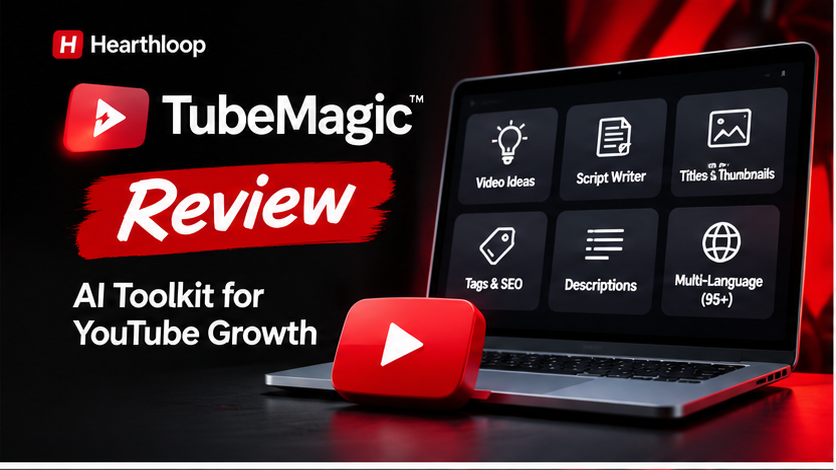
TubeMagic is an AI-assisted toolkit for planning, researching and preparing YouTube videos. It brings several creator tasks into one workspace: finding topics, researching keywords and videos, drafting scripts, generating thumbnails, and preparing titles, descriptions and tags.
Evaluate the current offer: If you want to test whether an integrated research-and-scripting workflow fits your channel, review TubeMagic’s current offer and check the live billing and usage terms before subscribing.
The practical question is not whether AI can make a channel successful on its own. If you are comparing creator tools, our TubeMagic vs vidIQ comparison looks at how their workflows differ. It cannot guarantee views, subscribers or revenue. The better question is whether TubeMagic’s collection of tools can make a creator’s research and pre-production workflow more organised and efficient.
What is TubeMagic?
TubeMagic describes itself as a YouTube-focused content workflow rather than a general-purpose chatbot. Its official feature list includes video research, keyword research, niche exploration, video ideas, script writing, thumbnail generation, transcripts, article-to-script conversion and upload optimisation. See the official features page for the current list.
Main features
1. Video and keyword research
The research tools are designed to help creators identify videos performing above a channel’s typical results, explore keywords and compare possible topics. TubeMagic also describes a niche explorer and a video ideas manager. Treat scores and trend signals as research inputs, not predictions of future views.
2. AI script writing
The script writer can generate scripts at different lengths, use reference videos or articles for context, and adapt the writing to a channel’s style. TubeMagic says users can edit or regenerate sections. The creator still needs to check facts, originality, pacing and whether the script actually serves the audience.
3. Titles, descriptions and tags
The upload-preparation tools help draft titles, descriptions, timestamps and tags. These can speed up routine packaging, but metadata should accurately describe the video. Avoid misleading titles or stuffing descriptions with unrelated keywords.
4. Thumbnails and repurposing
TubeMagic lists an AI thumbnail generator, video-to-transcript and article-to-script tools. These are useful for ideation and repurposing, but a creator should check image rights, factual context and visual clarity before publishing.
5. TubeMagic MCP
TubeMagic also advertises an MCP connection for working with AI clients such as ChatGPT and Claude. Its website describes research, script, title and thumbnail workflows through compatible AI assistants. Check the current official site and documentation for supported capabilities and setup requirements.
Pricing and subscription checks
TubeMagic’s pricing page currently lists Premium at $41 per month, billed yearly at $497 per year. The plan includes all tools and up to 100 generations per day per tool on standard models. It also includes 6,000 premium credits per year, added upfront; the balance resets when the subscription renews annually, not monthly. Standard models are included, while premium models and the Agent use credits. The pricing page lists premium-model generations from 5 or 10 credits depending on the model, 10 credits per Agent reply and 20 credits per thumbnail. TubeMagic says free trials are paused and the plan includes a 30-day money-back guarantee. Check the live checkout price, model availability, cancellation process and refund terms before subscribing. See TubeMagic pricing.
- The site says free trials are currently disabled.
- The pricing FAQ describes a 30-day money-back guarantee and says refunds are requested by contacting support within 30 days.
- The site says subscriptions can be cancelled; check the exact cancellation process and renewal terms before paying.
- Standard usage and premium-credit limits are different, so check which model consumes credits.
What we like
- A focused collection of tools for several stages of YouTube pre-production.
- Research, scripting and upload preparation are grouped in one product.
- The ability to use reference material can help creators start with a clearer brief.
- MCP support may suit creators who already work through AI assistants.
Limitations to consider
- This is not a replacement for filming, editing, judgement or audience understanding.
- AI-generated scripts and metadata need human fact-checking and editing.
- A tool cannot guarantee higher rankings, views, watch time or income.
- The annual billing commitment and usage limits matter; compare the full cost with tools you already pay for.
- This is desk research, not a hands-on test. We have not independently measured output quality or time saved.
Who might find it useful?
TubeMagic may suit solo creators, small channel teams and people who regularly publish videos and want one workspace for research and pre-production. For a practical example of using its tools across a video project, read our TubeMagic video-planning workflow. It may be less compelling for occasional uploaders, creators who already have a well-functioning research and writing stack, or anyone expecting software to deliver channel growth automatically.
How to evaluate it before subscribing
- Choose one upcoming video topic from your real channel niche.
- Check whether TubeMagic’s research tools provide useful, relevant ideas for that topic.
- Generate a short outline or script and compare the time and editing required with your current process.
- Check whether the thumbnail and metadata tools fit your publishing workflow.
- Review the live price, annual billing, usage limits, cancellation and refund terms before checkout.
Our verdict
TubeMagic is positioned as an all-in-one YouTube research and content-preparation toolkit. Its strongest case is convenience: creators can move from topic research to script and upload assets in one product. The decision depends on whether you will use enough of those tools to justify the subscription. Do not buy it on the promise of viral growth; evaluate it as workflow software.
Check the current TubeMagic offer: Visit TubeMagic. Review the plan details, billing interval and refund terms before subscribing.
Official sources checked on 14 November 2026: TubeMagic features · TubeMagic pricing · About TubeMagic.
Comments
2 responses to “TubeMagic Review: Features, Pricing and Who Should Use It”
[…] before recording. For a broader assessment of TubeMagic’s features and limitations, read our TubeMagic review. TubeMagic brings together tools for several of these preparation steps. This guide shows how to […]
[…] feature sets emphasise different workflows. For a deeper look at TubeMagic on its own, see our TubeMagic review. TubeMagic presents itself as a combined research, scripting and upload-preparation toolkit. vidIQ […]